Weighing Workflow
Scope
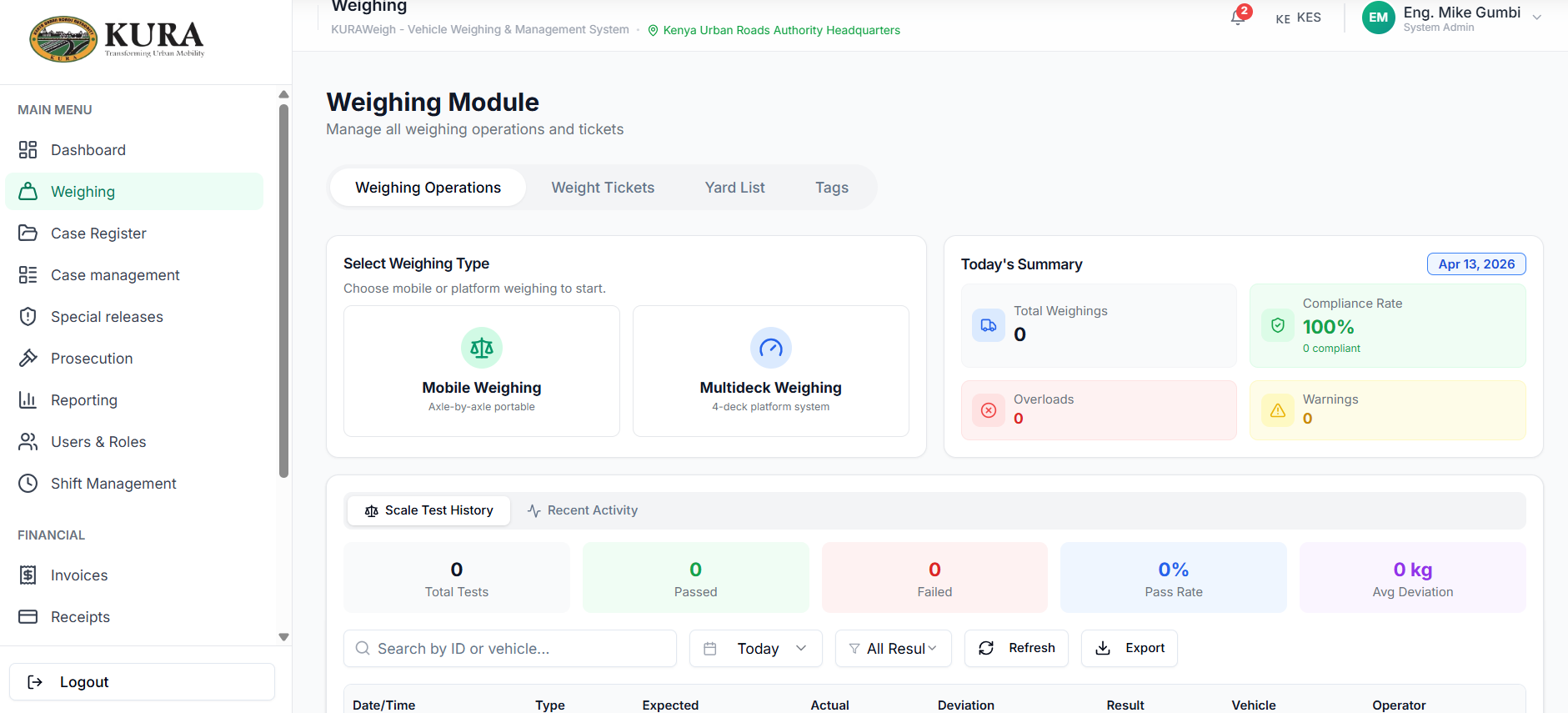
This section covers complete weighing operations from vehicle entry to decision and ticketing, for both mobile and multideck capture paths.
Step-by-step weighing (operator flow)
- Open
Weighingand confirm station and shift are active. - Select capture mode:
MobileMultideck- Enter or confirm vehicle identification details.
- Confirm transporter/driver details if required.
- Start weight capture from connected scale or TruConnect source.
- Validate axle/deck values before submission.
- Submit weighing transaction.
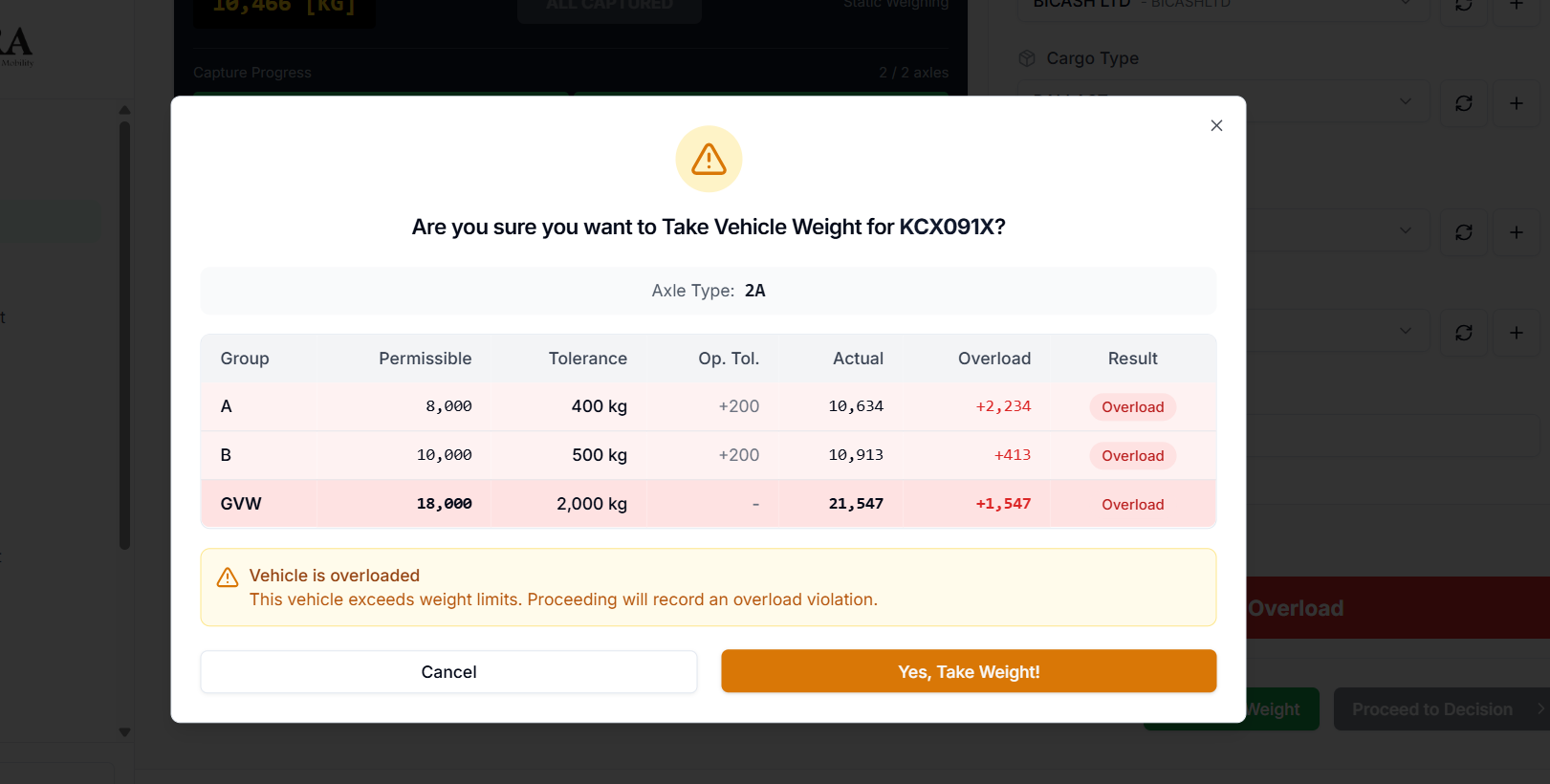
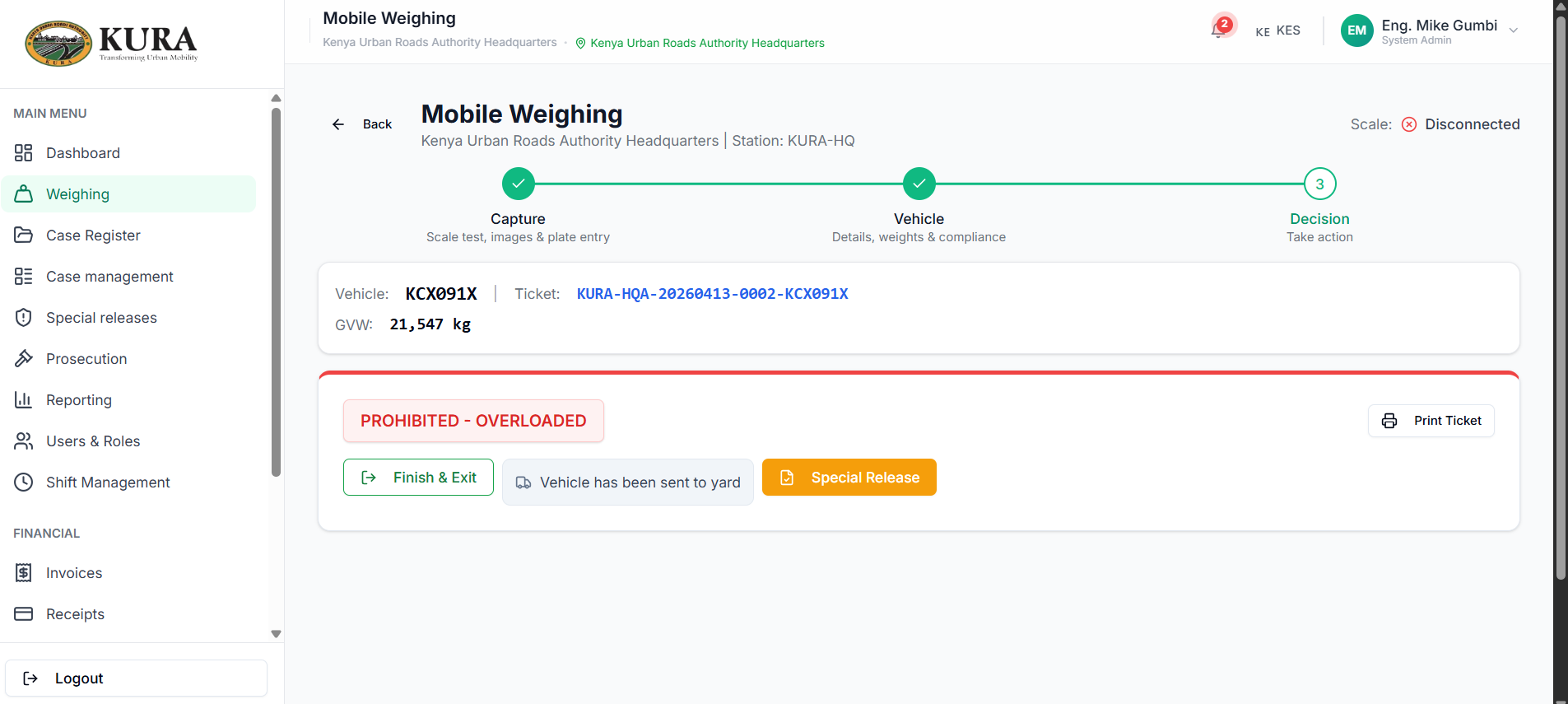
- Review decision output and proceed:
- Compliant: issue ticket and release vehicle.
- Within tolerance: continue special release path.
- Overloaded: proceed to case and yard path.
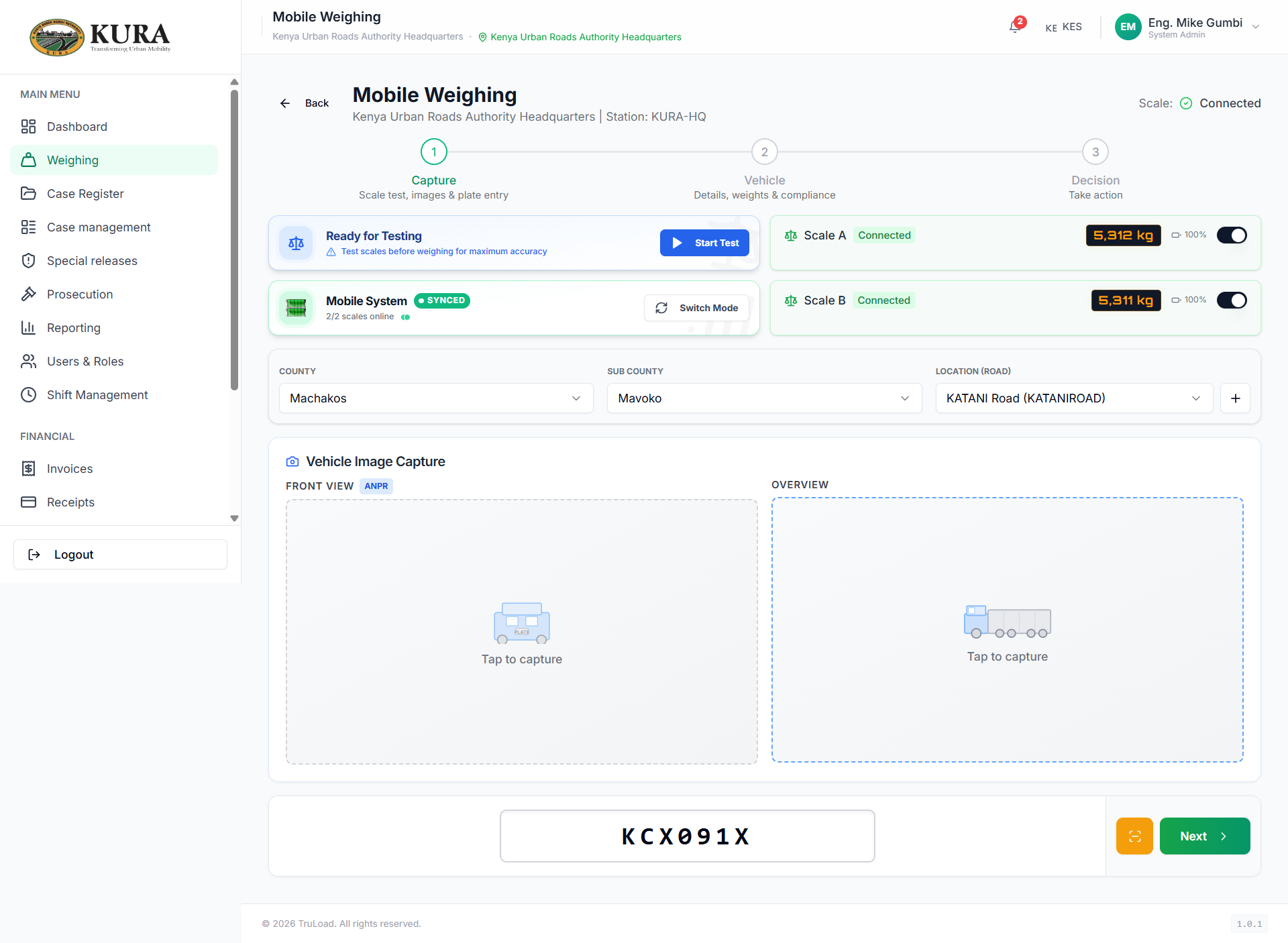
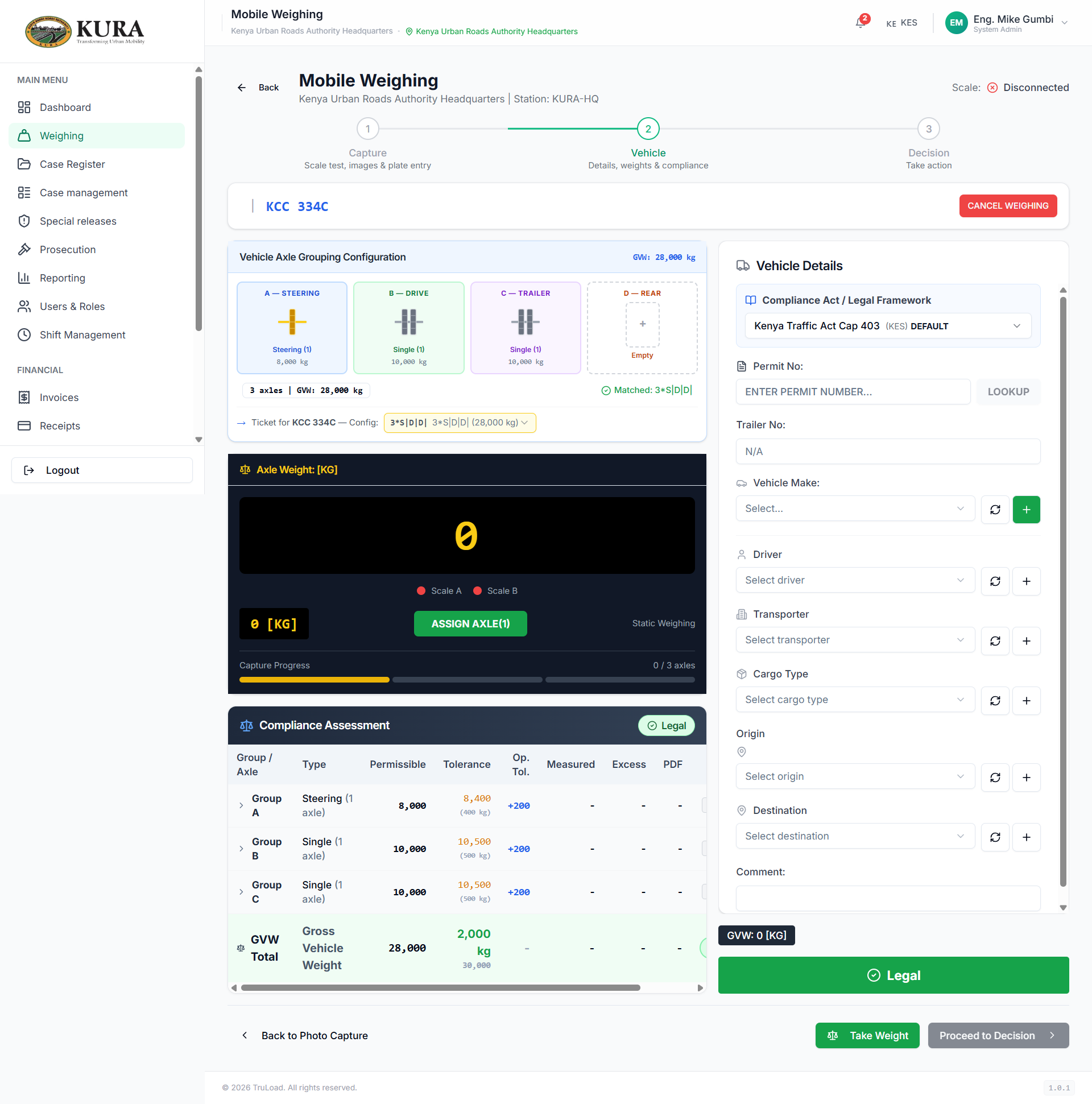
Mobile capture sequence
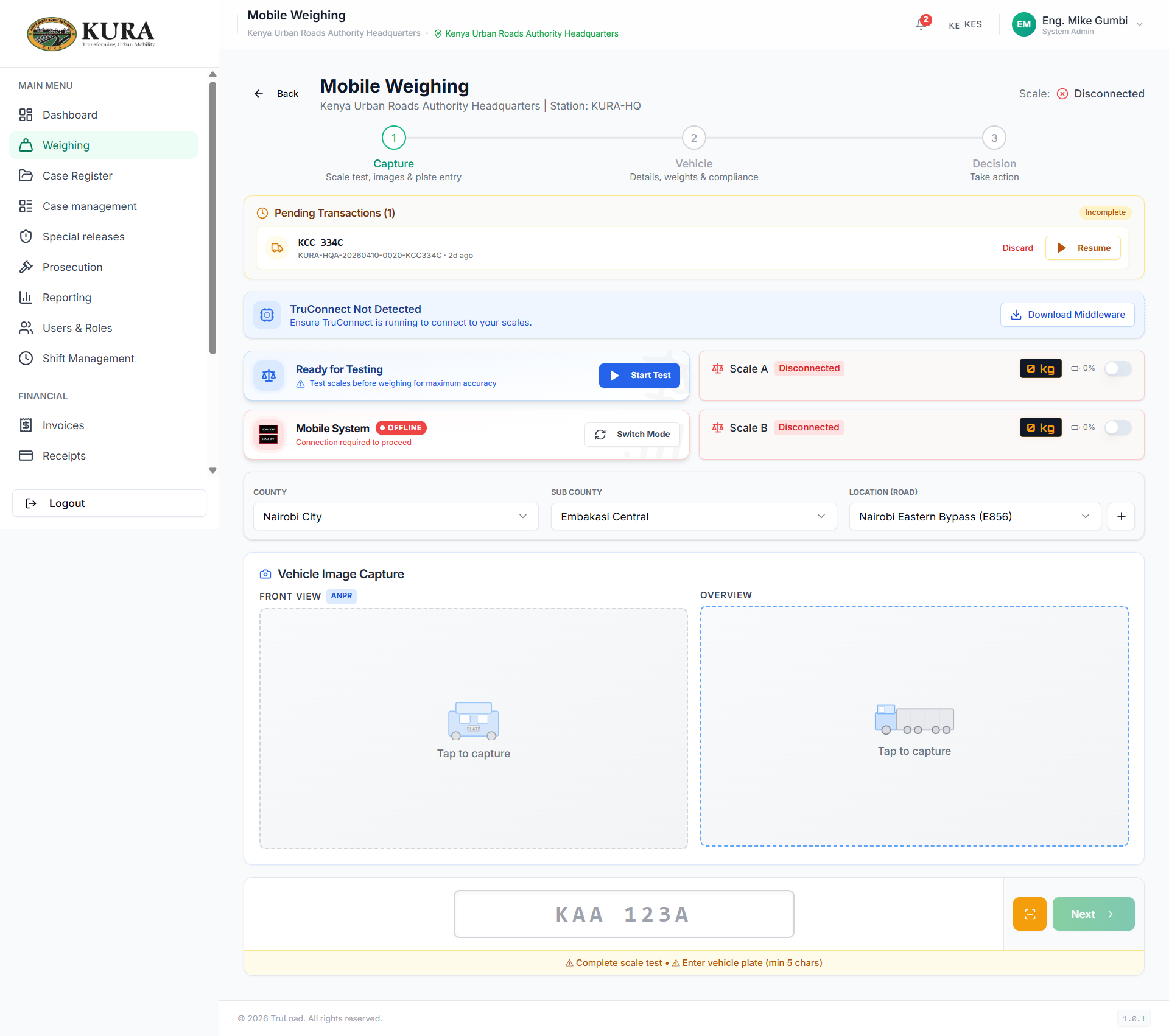
- Open mobile capture screen.
- Confirm scale online indicator.
- Capture first reading.
- Move to vehicle details and validate metadata.
- Complete and submit.
Multideck capture sequence
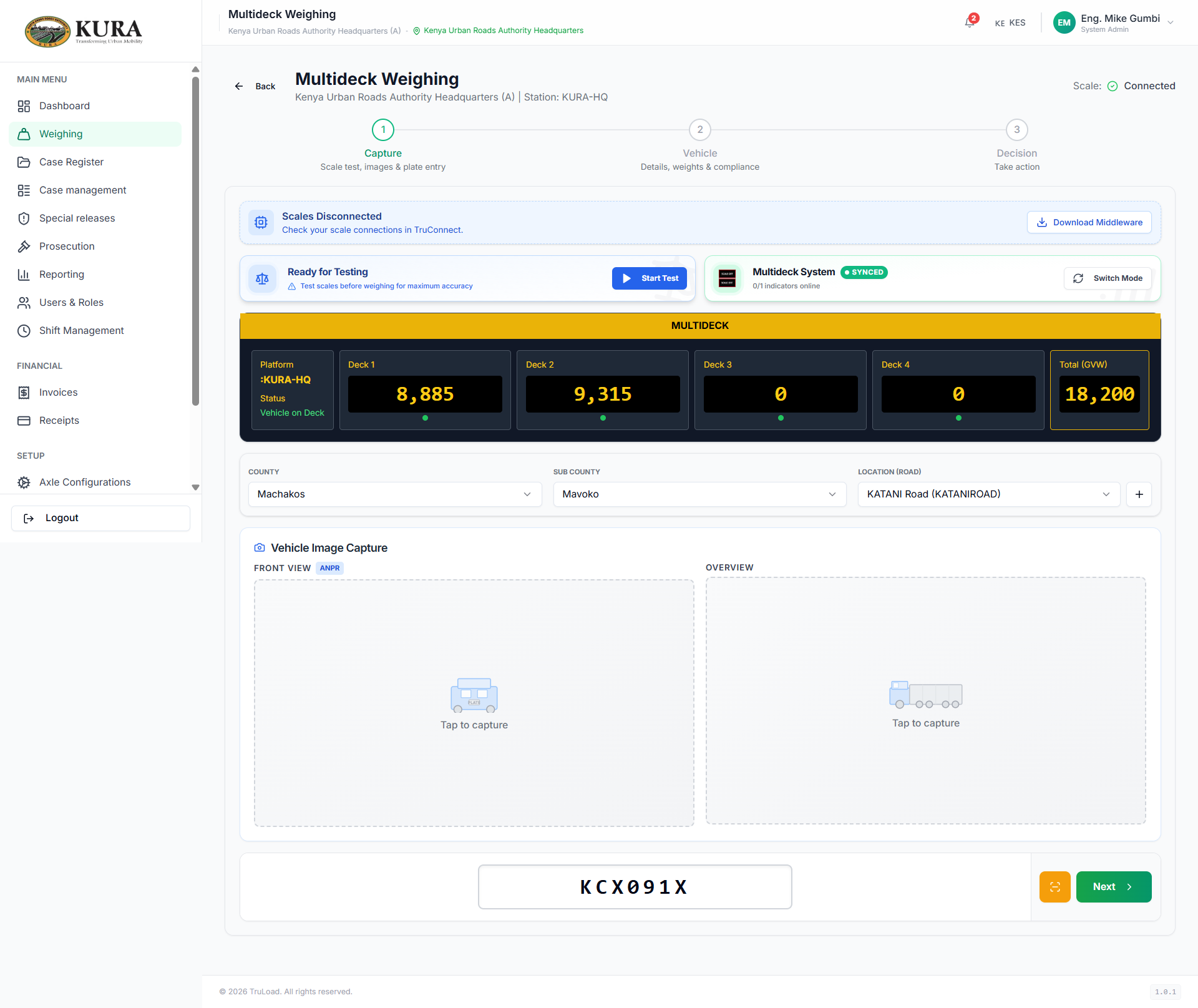
- Open multideck capture mode.
- Confirm each deck/axle channel is receiving values.
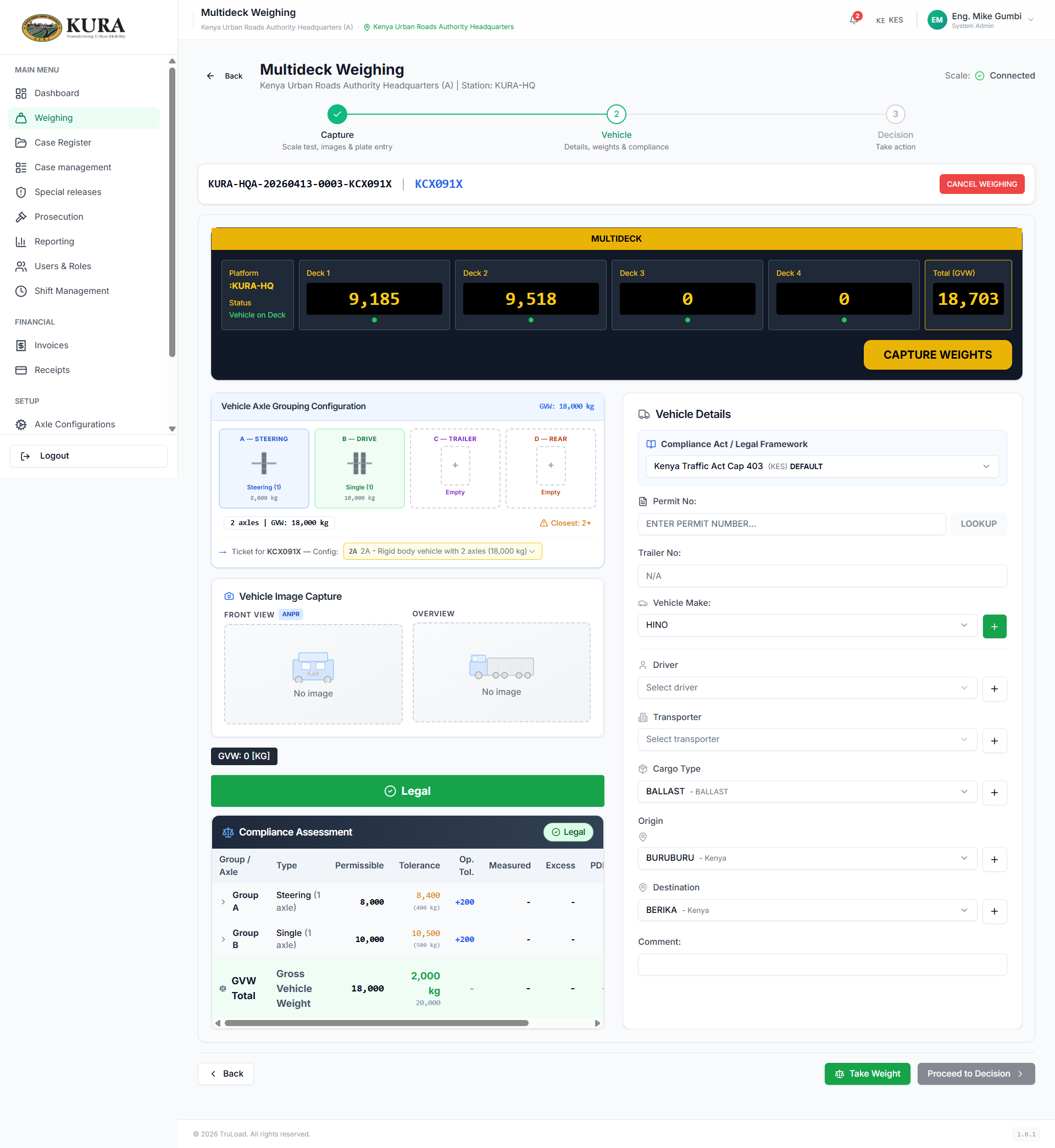
- Capture and submit full reading set.
- Confirm system decision and generated ticket.
Ticket, tags, and yard verification
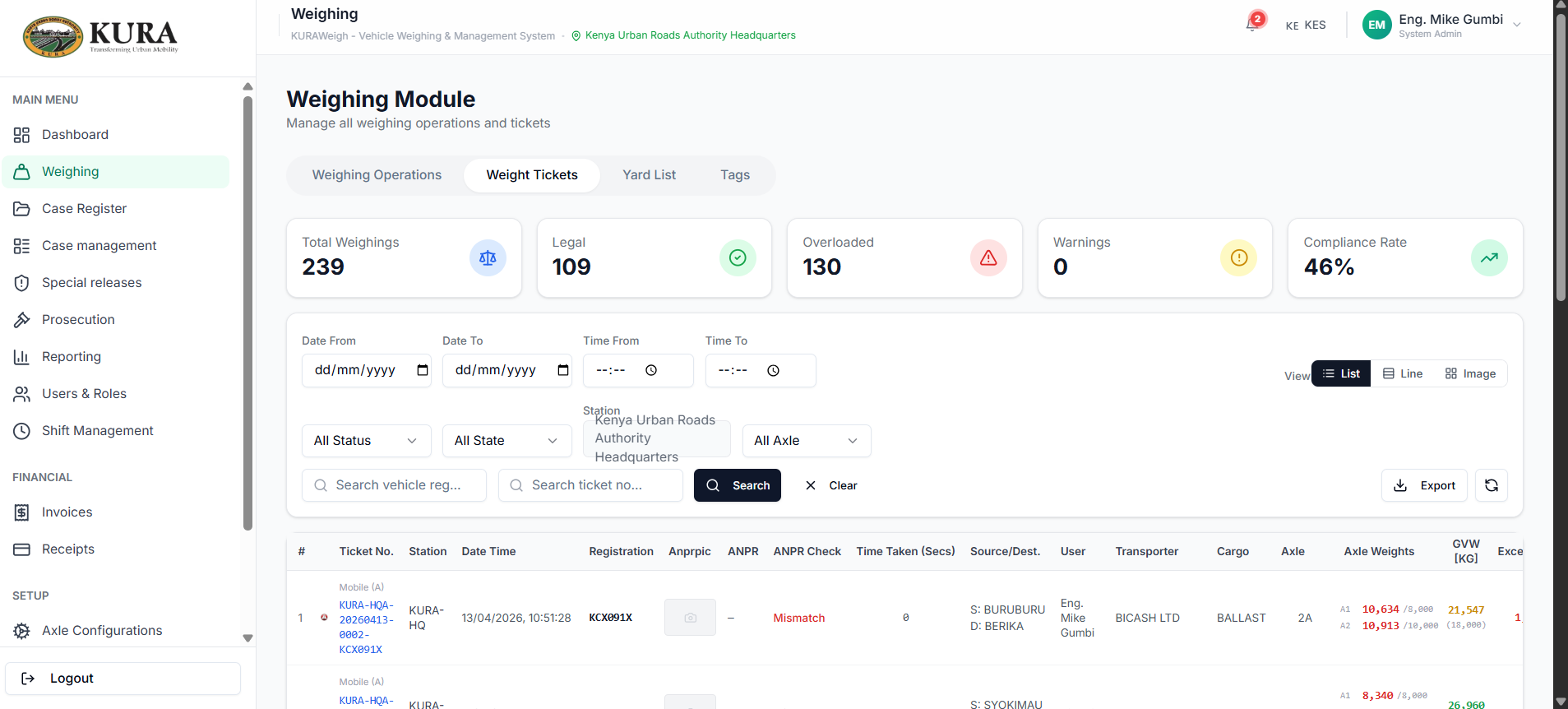
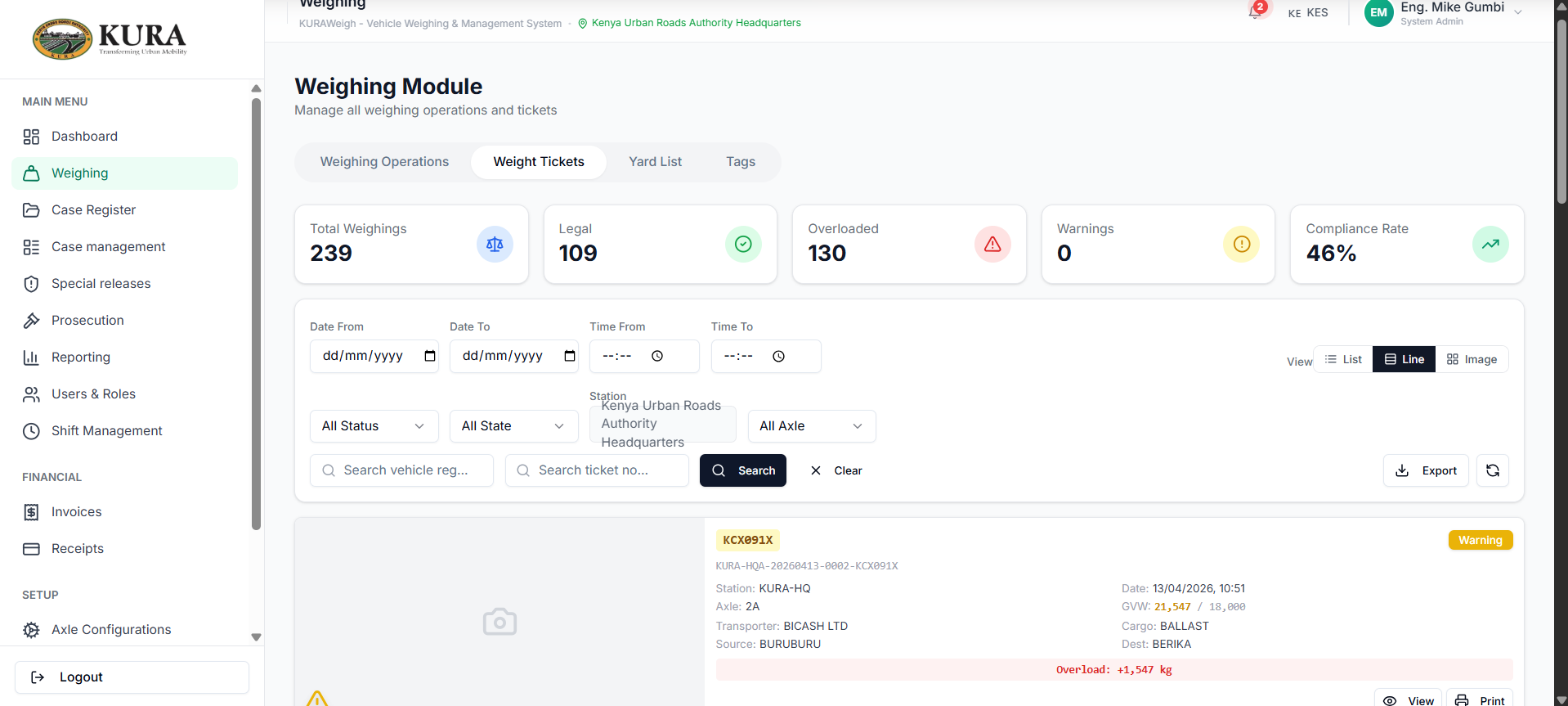
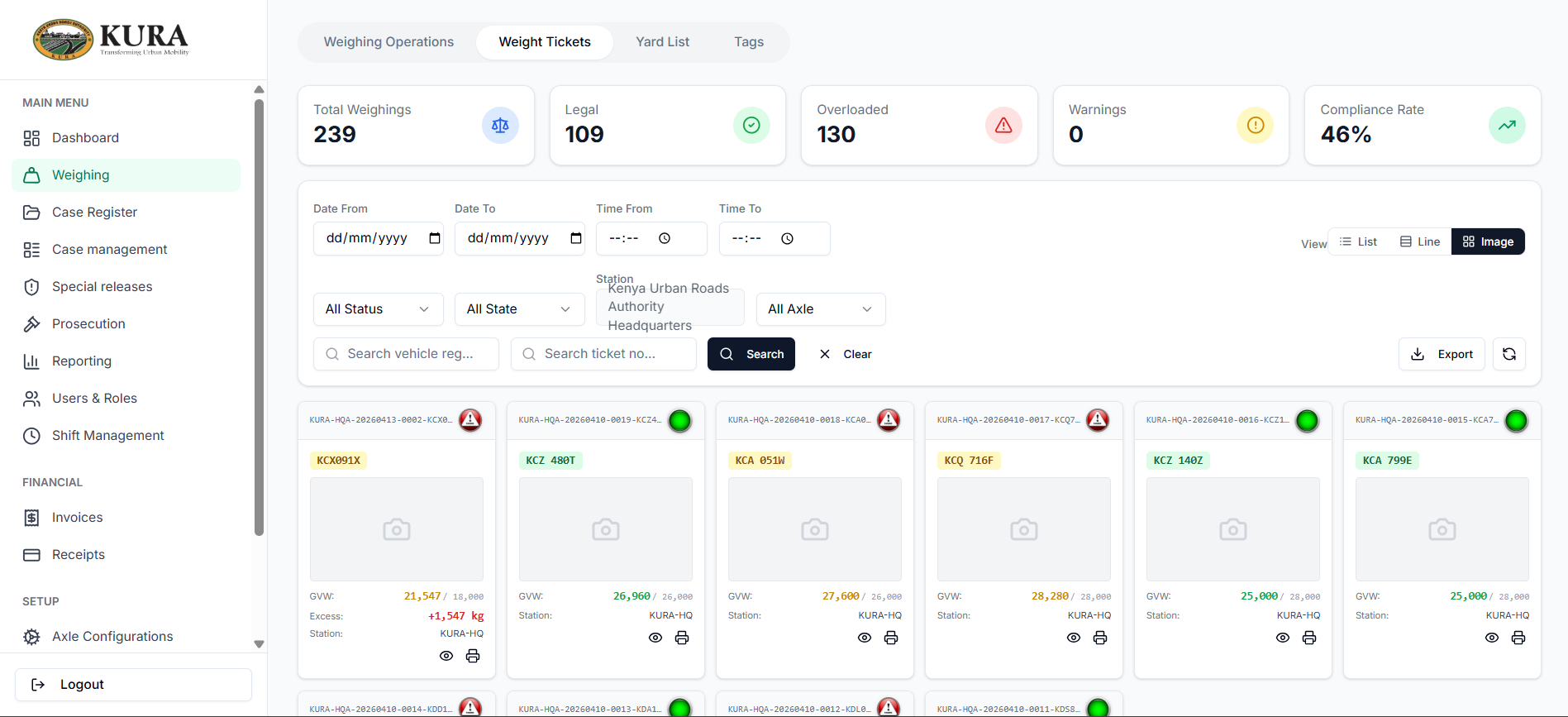
- Open ticket list and find latest transaction.
- Validate ticket summary and image-line views.
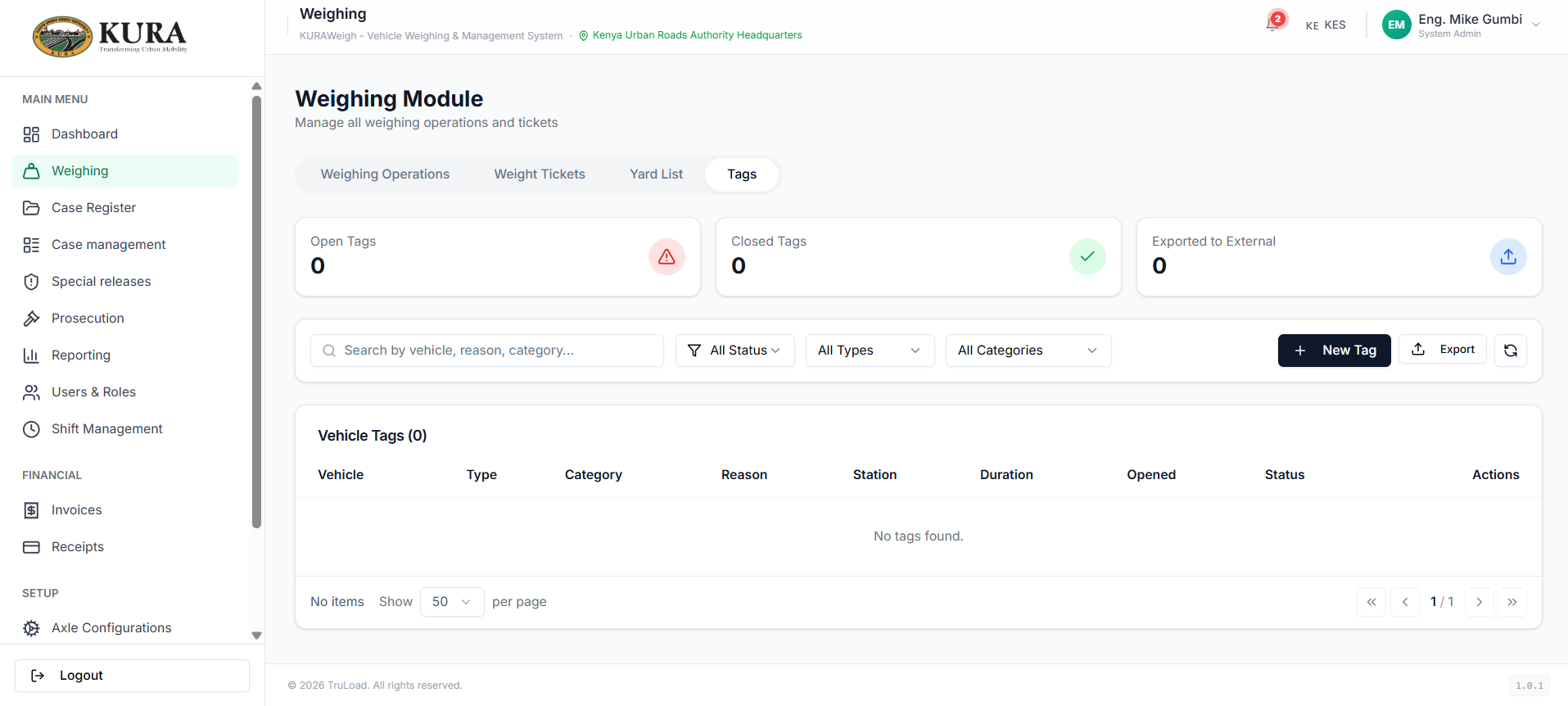
- Add or review tag status if required.
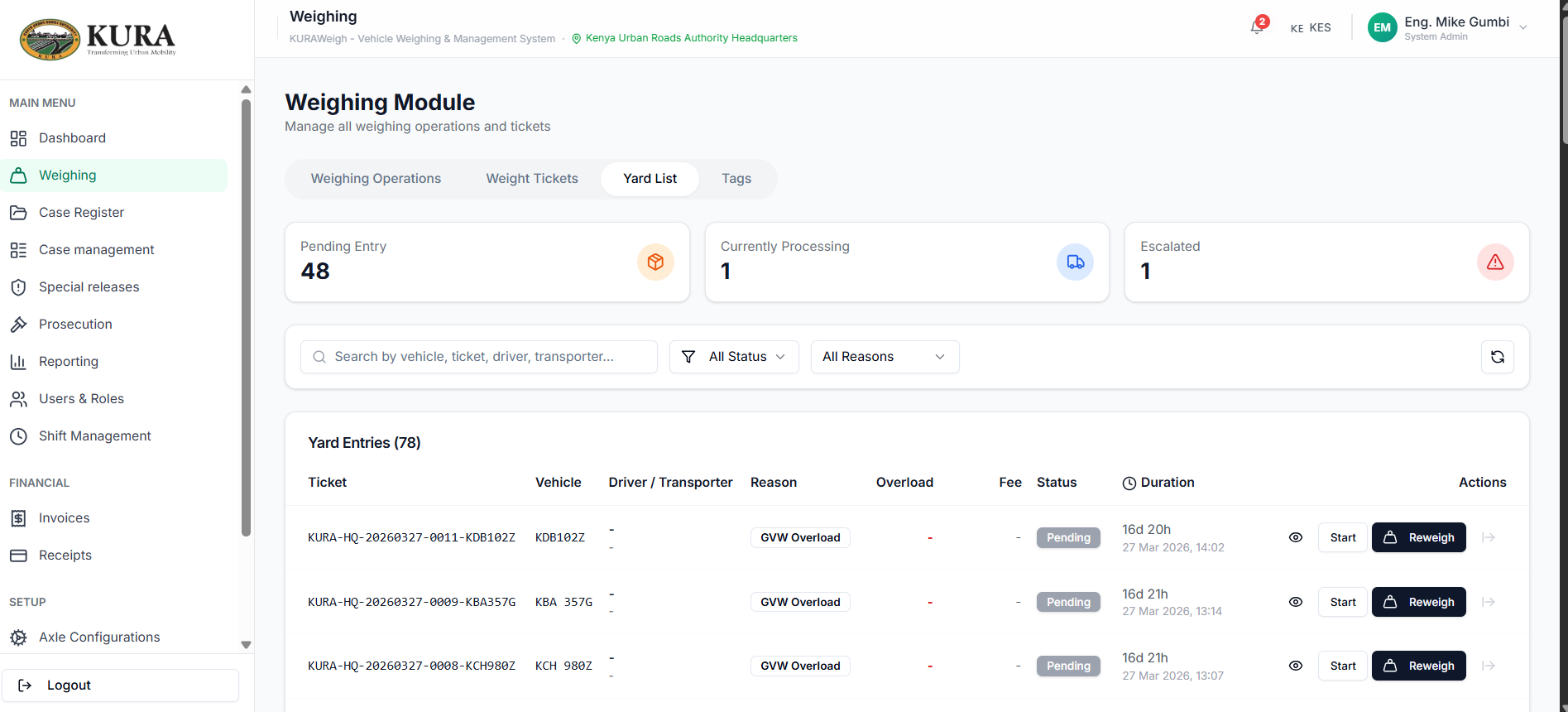
- Check yard list when case/hold route is triggered.
Reweigh and closure support
- Open case/prosecution item pending reweigh.
- Re-capture corrected load weights.
- Confirm compliance result.
- Trigger compliance certificate and closure workflow where applicable.
Tolerance logic and precedence
The weighing engine applies regulatory tolerances in the following priority order. A higher-priority rule always overrides lower-priority ones.
| Priority | Source | When it applies |
|---|---|---|
| 1 (highest) | Config-specific tolerance | ToleranceKg or TolerancePercentage is set on the axle configuration linked to the transaction. Overrides all global settings. |
| 2 | Act-specific global tolerance | Tolerance seeded per legal framework (e.g. Traffic Act GVW tolerance = 2,000 kg; EAC axle group = 5%). Applies when no per-config override is set. |
| 3 | Standard law tolerance | Fallback by axle type: single axles use STANDARD_LAW_SINGLE, grouped axles (tandem/tridem/quad) use STANDARD_LAW_GROUP. |
| 4 (lowest) | Strict (0%) | No tolerance configured at any level — overload is assessed at the permissible limit exactly. |
GVW tolerance
Resolved separately from axle tolerance. Same priority order applies: config-specific ToleranceKg on the axle configuration wins over the Act-level GVW tolerance setting.
Operational allowance
An additive 200 kg allowance is applied to individual axle measurements only (not to group or GVW). This is a sensor-accuracy buffer, not a regulatory tolerance — it does not appear in case charges.
Reading the weight ticket
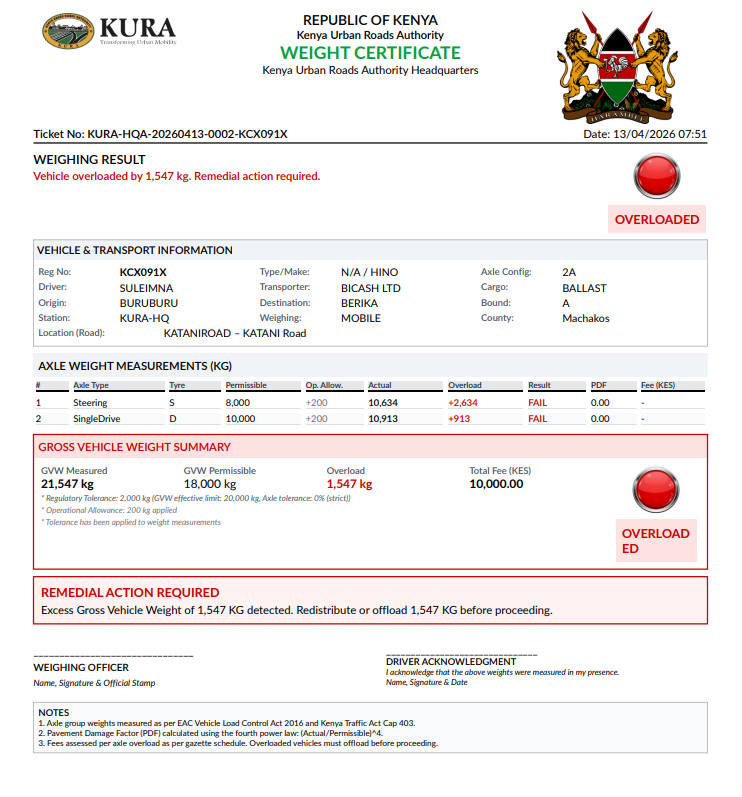
The ticket footer shows the effective tolerances used for the transaction:
Regulatory Tolerance: 2,000 kg (config)— a per-config GVW tolerance override is activeAxle tolerance: 2,000 kg (config)— a per-config axle tolerance override was used for group calculationsAxle tolerance: 5% (EAC)— the Act-level global tolerance applied (no config-specific override)Axle tolerance: 0% (strict)— no tolerance was configured at any level
Setting config-specific tolerances
Go to Settings → Axle Configurations, select a configuration and set Tolerance (kg). This value applies to all enforcement transactions that reference that axle configuration, regardless of the global Act tolerance.
Standard EAC configurations allow tolerance and notes updates only — structural fields (axle count, code, GVW) are locked. Derived configurations (created by your organisation) can be fully edited.
Special release
Special release is the controlled path used when a vehicle cannot physically offload at the yard (perishable cargo, hazmat, court order, or authorised escort). The release is raised by a supervisor, requires a documented reason, and always leaves an audit trail on the underlying case.
- Open the case pending release and click
Request special release. - Select the reason category and attach supporting documentation (court order, authorisation letter, perishable-goods manifest).
- Supervisor reviews, approves, and signs off; the approval is recorded against their user ID with a timestamp.
- System prints the special-release ticket and updates the yard entry to
released — special. - The case remains open for follow-up reweigh or prosecution as specified by the release conditions.
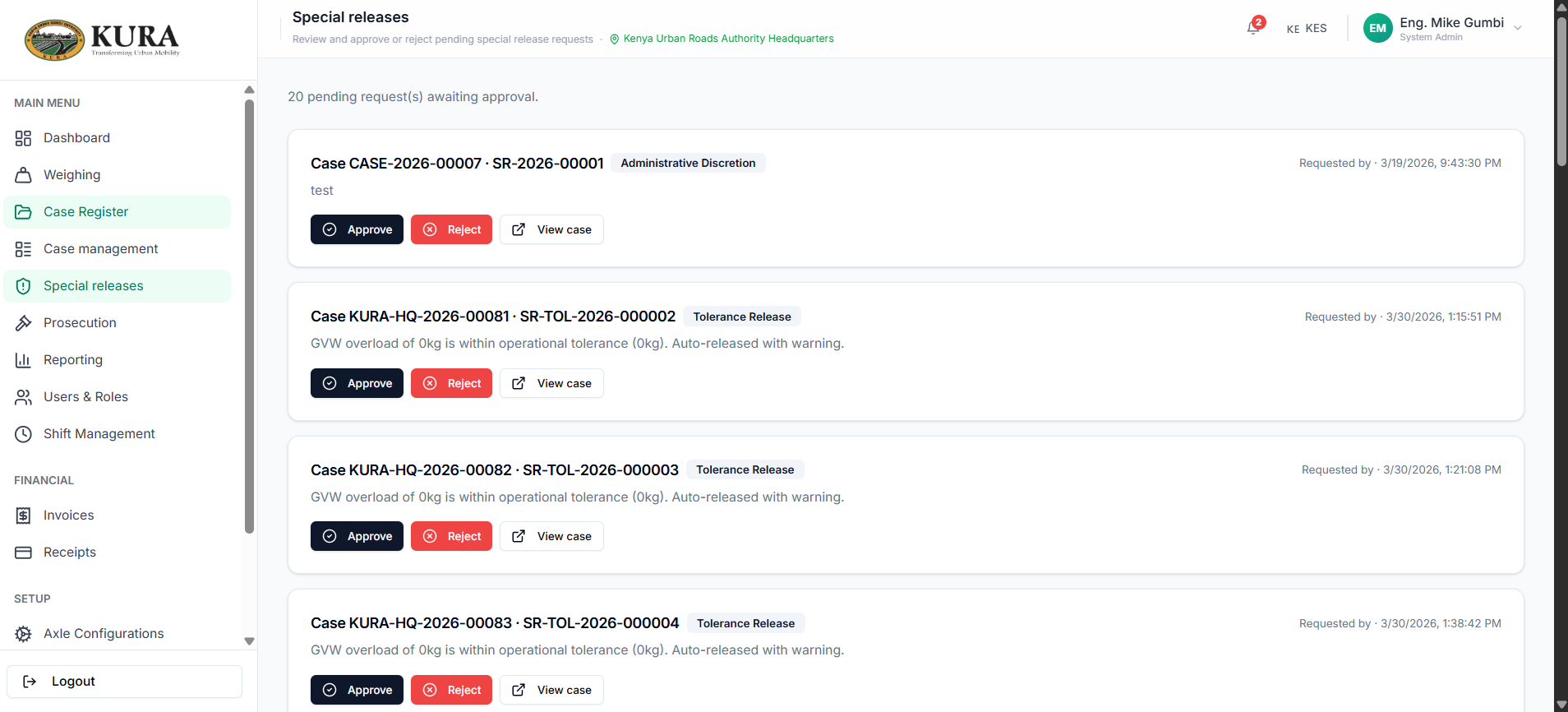
Special release approval queue
The Special Releases page shows only pending items (not yet approved or rejected). Supervisors can filter the queue before acting:
| Filter | Description |
|---|---|
| Case No | Partial match on the case reference number |
| Release type | Category of the release reason |
| Date from / to | Narrow by when the release was requested |
Approve / Reject buttons are visible only on pending records. Records that are already approved or rejected display a status badge only; no action buttons are shown.
Tolerance-based releases generated automatically by the weighing engine are created pre-approved and do not appear in the pending queue.